Easier, more reliable TCP monitoring

Pulsetic helps DevOps teams, IT managers and business owners to keep their TCP connections operating quickly and securely. Monitor your service uptime, identify disruptions and protect your services from downtime with 24/7/365 TCP monitoring.

* No credit card required

Stay ahead of TCP connection issues

  • Maintain connectivity across systems

    With Pulsetic, you can maintain seamless communication between systems, even in complex infrastructures. Monitor your TCP connection health for business-critical services including APIs, databases, and web applications.

  • Detect critical connection errors

    Pulsetic continuously monitors your TCP connections to detect timeouts, refused connections, and other critical errors. You'll get instant notifications if there's a problem.

  • Optimize your network performance

    Track TCP latency and response times in real time, helping you maintain optimal performance and identify potential bottlenecks before they affect users.

Trusted by teams at companies around the world

"Pulsetic made monitoring something I barely think about anymore. The interface is clean and the tracking is real-time, so I can glance at my site’s performance and get back to work."

Koen Kanters
Koen Kanters

Senior Software Engineer at ASML

"Pulsetic is easy-to-use and simple to get started. As an agency, I like that it includes unlimited status pages, because I can create one for each of my clients. Pulsetic includes every alert channel that I want, and advanced settings that give me greater confidence in the uptime. I can require that a response include certain text and respond within a certain timeframe in order for a site to be considered online. This gives me assurance that we would be notified if there were major performance issues or a bad deployment that made the site unusable. These features come with every paid plan, so our monthly bill is predictable. The API is a huge bonus on the teams plan. We have used it to add maintenance windows for certain monitors automatically based on events that happen in other software we use."

Christopher Morbitzer

CEO at NorthBuilt

"Pulsetic’s monitoring is easy to set up via their super clean, user-friendly UI. I was up and running within only a few minutes. A helpful knowledge base is available for webmasters to refer to if needed. Pulsetic’s pricing is also some of the most competitive in the industry. I highly recommend them for emerging and established agencies alike."

Scott Werley
Scott Werley

Owner at Sporulate Design

"Pulsetic is easy to set up and integrate. You don’t need much time to get it running. The interface is clear and simple. It’s easy to see what’s going on at a glance. The design looks great, too. I had no trouble finding what I needed and monitoring my sites is straightforward. If you want a simple tool that works well, Pulsetic is a good choice."

Aryo Sayogha
Aryo Sayogha

CEO at MBDC Media

"The monitoring tool we’ve been waiting for. Super easy to set up monitoring, customizable status page design, and access to notifications across Slack, email and SMS. Pulsetic is awesome."

Andrei Negrau
Andrei Negrau

CEO at Siena AI

"Tens of thousands of business owners from around the world rely on our service, and Pulsetic is the best platform there is to ensure we communicate any downtimes clearly and swiftly to our customers to avoid panic and disappointment. Getting setup on Pulsetic not only been smooth and easy but super joyful too, the design is stunning and customisable unlike any other monitoring platform we’ve used."

Leo Bassam
Leo Bassam

Founder, CEO at Plutio

"Pulsetic cut down our uptime monitoring work a lot. We automated uptime tracking and SLA reporting, which took a chunk of manual effort out of our monthly and annual reports. The Slack and email alerts let the team jump on problems quickly, and the API is what really sold us, since we point a dedicated health-check endpoint at it and pull uptime data straight into our internal workflows."

Mariana Kodama
Mariana Kodama

Treasurer, Fundacion Jorge Luis Borges

"There’s an easy way for you to monitor your online project. After all the hard work you have put into going live, you want to make sure that things keep running smoothly while you focus on the next project."

Chris Kalmar
Chris Kalmar

Founder at nineLemon

"Pulsetic is fast and genuinely easy to use. The UI is clean and has the features we actually needed, the status pages look good, and being able to route alerts to several channels was a real plus for us."

Akis Laopodis
Akis Laopodis

Founder at Qurioos

"Pulsetic helps us monitor all of our websites and webapps over at Pairing.dev. Before we used it, we had no idea how often services (e.g. heroku) were offline. Now we have complete control over it."

Till Carlos
Till Carlos

Founder at Pairing.dev

"Using Pulsetic is a big win for us! Our dev team can now deliver faster, with zero time spent monitoring our website uptime. Plus the interface is great and analytics proper."

Razvan Popescu
Razvan Popescu

Head of Marketing at AbstractAPI

TCP monitoring is easier with Pulsetic

  • 15+ types of alerts

    15+ Types Of Alerts

    Never miss a TCP status update. Pulsetic integrates with all the tools you already use - like Slack, Discord, Microsoft Teams, Zapier, and Webhooks - and supports voice call, SMS and email too.

  • Multi-location monitoring

    Multi-Location Monitoring

    Pulsetic always checks your TCP connections from at least 3 different locations worldwide - so you can identify localized issues and prevent false positive alerts.

  • Maintenance Windows

    Maintenance Windows

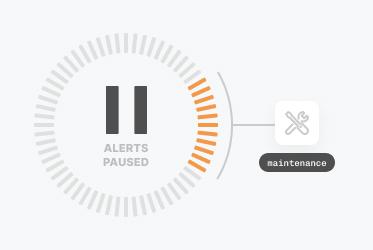
    Pause your TCP monitoring during planned maintenance to make sure your team only gets alerted for genuine downtime.

  • For different types of teams

    For Different Types Of Teams

    DevOps Teams: Maintain high availability during deployments. IT Managers: Ensure stable communication between systems. Business Owners: Avoid high-cost downtime. IoT Developers: Keep all devices connected optimally.

How Does the TCP Monitor Work?

You don't need to be technical to use Pulsetic; we've made it quick and simple for everyone.

  • Sign up for a free Pulsetic account and click «add monitor».

  • Add the TCP ports or IPv4/IPv6 addresses you want to monitor.

  • Get automated notifications for any issues, wherever you want them.

  • For DevOps Teams

    Maintain high availability during deployments by monitoring TCP connections across services.

  • For IT Managers

    Ensure stable, reliable communication between systems and devices, reducing the risk of disruptions.

  • For Business Owners

    Avoid high-cost downtime and reputational risk.

  • For IoT Developers

    Keep all devices connected and functioning optimally by monitoring their TCP traffic.

  • Bring in your whole team.

    Need access for more than one person? Pulsetic is for you. Easily manage access controls with specific rights and permissions for individual users, so you can collaborate without compromising on security.

  • Team access
  • API
  • Connect your API for even more flexibility.

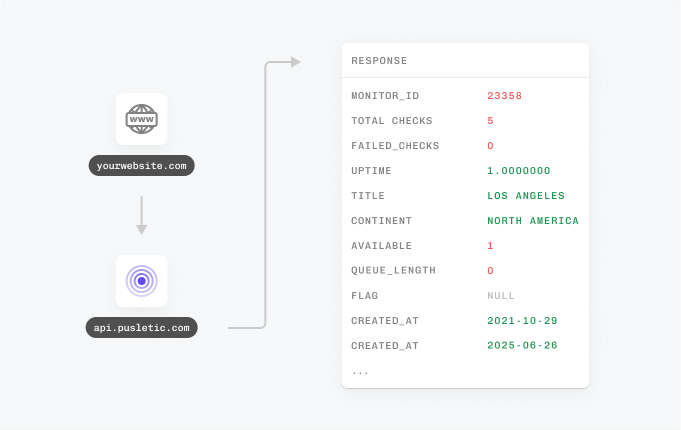
    With Pulsetic’s API, you’ve got complete control: you can add custom statistics, monitors & automations, create bespoke rules and maintain granular control over who can access or modify monitoring information. Best suited for developers in scale-up or large enterprises.

FAQ: TCP Port Monitoring

  • What is TCP port monitoring, and why is it important?

    It's how you keep tabs on specific Transmission Control Protocol (TCP) ports: are they reachable, and how fast do they answer? The services sitting behind those ports, web servers and databases for instance, only work if the port is up and responsive, so watching the port tells you whether the service is healthy.

  • How does TCP port monitoring work?

    The monitor opens a connection to the port you've named and times how long the handshake takes. No answer, or a sluggish one? That's the signal something's wrong, and you get flagged.

  • What's the best way to monitor TCP ports for uptime and performance?

    Let an automated service do the checking on a schedule rather than poking ports by hand. It runs the checks for you and pings you the moment something fails or starts to slow down.

  • What issues can TCP port monitoring detect?

    Plenty. Outright outages, firewall rules that block the wrong thing, servers buckling under load, connections that drop midstream. Any of these can take your system offline, and the monitor catches them.

  • Can TCP port monitoring help identify slow connections?

    Yes. Every check records how long the port took to respond, so a connection that's dragging shows up in the numbers. From there your admins can dig into the cause and tune the network.

  • What types of services benefit from TCP port monitoring?

    Web servers, databases, email and FTP servers, the list goes on. If an application talks over a TCP connection, keeping an eye on its port pays off.

  • How does TCP monitoring integrate with alerting systems?

    Most services plug straight into the channels your team already watches: Slack, email, SMS, webhooks. When a problem turns up, the alert lands where you'll actually see it.