Monitor Cron Jobs to Never Let a Critical Cron Job Fail in Silence

Stop losing sleep over silent cron job failures. Our cron monitoring tool watches your jobs 24/7, alerts you instantly when something doesn’t run, and helps you stay confident.

Start monitoring cron jobs free *

* No credit card required

Catch failures before they break your business —

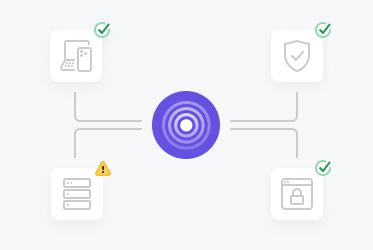
  • Never miss a critical cron job failure again

    With Pulsetic, you'll be automatically notified when any of your scheduled jobs fail. Start monitoring to ensure that your automation is 24/7/365.

  • Keep track of every scheduled task

    Have insight into how your cron schedules run over time and monitor for patterns that could be an indication of system issues.

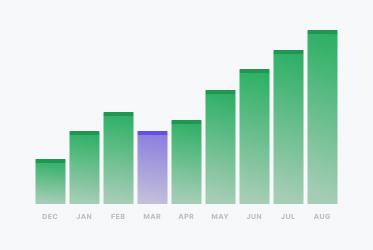
  • Analyze trends in your cron job performance

    Understand how your cron schedules are performing over time and identify patterns that could indicate system issues.

"Tens of thousands of business owners from around the world rely on our service, and Pulsetic is the best platform there is to ensure we communicate any downtimes clearly and swiftly to our customers to avoid panic and disappointment. Getting setup on Pulsetic not only been smooth and easy but super joyful too, the design is stunning and customisable unlike any other monitoring platform we’ve used."

Leo Bassam
Leo Bassam

Founder, CEO at Plutio

"There's an easy way for you to monitor your online project. After all the hard work you have put into going live, you want to make sure that things keep running smoothly while you focus on the next project."

Chris Kalmar
Chris Kalmar

Founder at nineLemon

"Pulsetic is super easy to use and fast. The UI is very simple and clean, and it offers all the right features. The status page design is also great, and we really liked the fact that we could set up alert notifications in multiple channels."

Akis Laopodis
Akis Laopodis

Founder of HelpfulDocs

"The monitoring tool we've been waiting for. Super easy to set up monitoring, customizable status page design, and access to notifications across Slack, email and SMS. Pulsetic is awesome."

Andrei Negrau
Andrei Negrau

CEO at Cartloop.io

"Pulsetic helps us monitor all of our websites and webapps over at Pairing.dev. Before we used it, we had no idea how often services (e.g. heroku) were offline. Now we have complete control over it."

Till Carlos
Till Carlos

Founder at Pairing.dev

"Using Pulsetic is a big win for us! Our dev team can now deliver faster, with zero time spent monitoring our website uptime. Plus the interface is great and analytics proper."

Razvan Popescu
Razvan Popescu

Head of Marketing at AbstractAPI

Cron Job Monitoring is Easier with Pulsetic

  • Global monitoring network

    Global Monitoring Network

    Pulsetic monitors your cron jobs from multiple global locations to ensure accurate detection and reduce false positives from network issues.

  • Multi-channel alerts

    Multi-Channel Alerts

    Get notified the way you want: Pulsetic supports Slack, Microsoft Teams, Discord, email, SMS, webhooks, and more. Use voice calls or SMS for critical failures.

  • Grace periods & schedules

    Environment-Aware Checks

    Run jobs differently depending on staging, production, or dev environments. Monitoring them separately reduces confusion and ensures alerts go to the right team.

  • Execution history & logs

    Execution History & Logs

    Track detailed execution history, runtime patterns, and success rates for every cron job. Get insights into performance trends and identify potential issues before they become critical.

How Does Cron Job Monitoring Work?

You don't need to be an expert coder to use Pulsetic; we've made it simple for everyone.

  • Sign up for a free Pulsetic account and configure your first monitor.

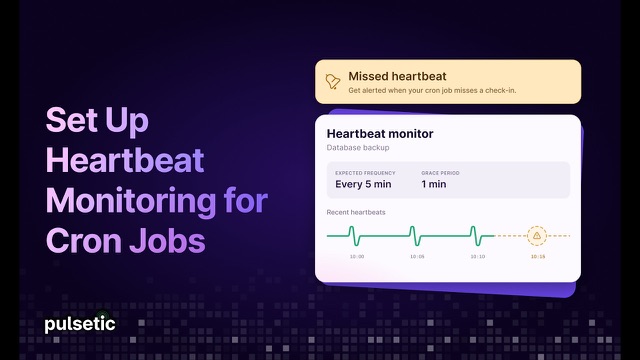
  • Add a heartbeat URL call to your existing cron jobs.

  • Get notified automatically if jobs fail or do not run as expected.

  • For DevOps Teams

    Prevent mission-critical automated processes from failing and detect problems before they hit production systems.

  • For System Administrators

    Keep important maintenance operations, backups, and system processes running to ensure reliable server operation on all environments.

  • For Business Owners

    Protect critical processes and prevent data loss by ensuring automated tasks like backups and reports run successfully.

  • For Web Developers

    Monitor application cron jobs, automated builds, data processing tasks, and scheduled scripts to ensure your code runs reliably in production.

  • Bring in your whole team.

    Need access for more than one person? Pulsetic is for you. Easily manage access controls with specific rights and permissions for individual users, so you can collaborate without compromising on security.

  • Team access
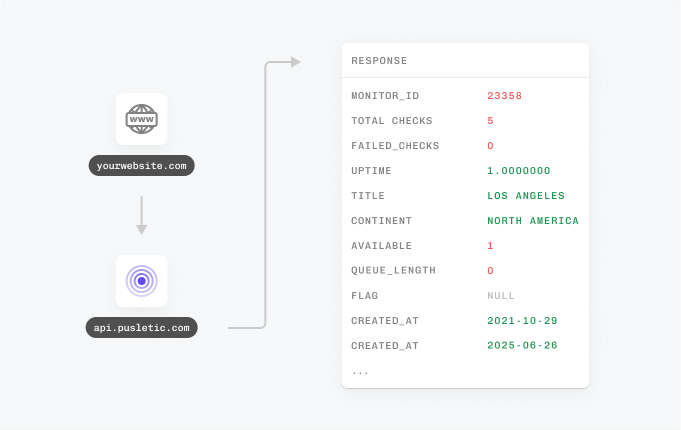
  • API
  • Connect your API for even more flexibility.

    With Pulsetic’s API, you’ve got complete control: you can add custom statistics, monitors & automations, create bespoke rules and maintain granular control over who can access or modify monitoring information. Best suited for developers in scale-up or large enterprises.

FAQ: Cron Job Monitoring

  • What is cron job monitoring, and how does it work?

    Cron job monitoring tracks the execution and success of scheduled tasks by receiving heartbeat signals when jobs complete. It guarantees your automated job runs properly and on schedule.

  • How can cron monitoring help prevent system failures?

    Cron job or heartbeat monitoring continuously watches your scheduled tasks and immediately alerts you if jobs fail to run or complete unsuccessfully, allowing you to respond quickly to critical system issues.

  • What's the best way to monitor cron job reliability?

    The best approach is to use an automated cron monitoring service like Pulsetic that tracks job execution, provides automated failure alerts, and maintains historical logs of all scheduled task activity.

  • What issues can missed cron jobs indicate?

    Missed cron jobs may indicate server crashes, resource exhaustion, configuration errors, or dependency failures, all of which can severely impact system operations and data integrity.

  • How frequently should cron jobs be monitored?

    Cron jobs should be monitored in real-time with immediate alerting for failures. Critical jobs may need monitoring every execution, while others can use grace periods based on their importance and frequency.

  • Can cron monitoring detect jobs that run too long?

    Yes, modern cron monitoring can detect both jobs that fail to start and jobs that exceed expected runtime thresholds, helping identify performance issues and hung processes.

  • What are the main benefits of using cron job monitoring tools?

    Cron job monitoring ensures task reliability, prevents silent failures, detects performance issues, and provides instant alerts to maintain automated workflow integrity across your systems.

  • How does cron job monitoring integrate with alert systems?

    Pulsetic's cron job monitoring feature sends notifications via email, SMS, Slack, Discord, Microsoft Teams, or webhooks, ensuring you're promptly informed about job failures through your preferred communication channels.

Hey there 👋  Friends from designmodo are here to help!