Port Monitoring for Every Service on Your Server

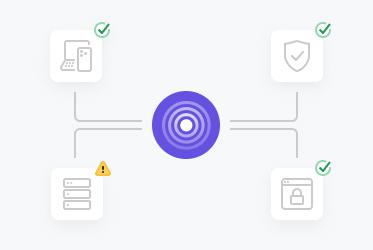
Pulsetic helps IT managers, DevOps teams, and business owners ensure that critical ports are always online and functioning smoothly. Monitor open ports, detect disruptions, and protect your operations in real time.

* No credit card required

Made for You

  • Be the first to know when a port goes offline

    With Pulsetic, you won't be caught unawares by a port issue. We continuously check the status of every specific port and alert you instantly if there's a problem.

  • Maintain the highest level of service

    Keep customers happy with a seamless connection between systems, devices and networks, with real-time HTTPS, FTP, DNS and SSH port monitoring over both IPv4 and IPv6.

  • Keep email communications flowing smoothly

    Catch any issues with your email server in good time with POP3, IMAP and SMTP port monitoring, so you can minimize the impact of any downtime.

Trusted by teams at companies around the world

"Pulsetic made monitoring something I barely think about anymore. The interface is clean and the tracking is real-time, so I can glance at my site’s performance and get back to work."

Koen Kanters
Koen Kanters

Senior Software Engineer at ASML

"Pulsetic is easy-to-use and simple to get started. As an agency, I like that it includes unlimited status pages, because I can create one for each of my clients. Pulsetic includes every alert channel that I want, and advanced settings that give me greater confidence in the uptime. I can require that a response include certain text and respond within a certain timeframe in order for a site to be considered online. This gives me assurance that we would be notified if there were major performance issues or a bad deployment that made the site unusable. These features come with every paid plan, so our monthly bill is predictable. The API is a huge bonus on the teams plan. We have used it to add maintenance windows for certain monitors automatically based on events that happen in other software we use."

Christopher Morbitzer

CEO at NorthBuilt

"Pulsetic’s monitoring is easy to set up via their super clean, user-friendly UI. I was up and running within only a few minutes. A helpful knowledge base is available for webmasters to refer to if needed. Pulsetic’s pricing is also some of the most competitive in the industry. I highly recommend them for emerging and established agencies alike."

Scott Werley
Scott Werley

Owner at Sporulate Design

"Pulsetic is easy to set up and integrate. You don’t need much time to get it running. The interface is clear and simple. It’s easy to see what’s going on at a glance. The design looks great, too. I had no trouble finding what I needed and monitoring my sites is straightforward. If you want a simple tool that works well, Pulsetic is a good choice."

Aryo Sayogha
Aryo Sayogha

CEO at MBDC Media

"The monitoring tool we’ve been waiting for. Super easy to set up monitoring, customizable status page design, and access to notifications across Slack, email and SMS. Pulsetic is awesome."

Andrei Negrau
Andrei Negrau

CEO at Siena AI

"Tens of thousands of business owners from around the world rely on our service, and Pulsetic is the best platform there is to ensure we communicate any downtimes clearly and swiftly to our customers to avoid panic and disappointment. Getting setup on Pulsetic not only been smooth and easy but super joyful too, the design is stunning and customisable unlike any other monitoring platform we’ve used."

Leo Bassam
Leo Bassam

Founder, CEO at Plutio

"Pulsetic cut down our uptime monitoring work a lot. We automated uptime tracking and SLA reporting, which took a chunk of manual effort out of our monthly and annual reports. The Slack and email alerts let the team jump on problems quickly, and the API is what really sold us, since we point a dedicated health-check endpoint at it and pull uptime data straight into our internal workflows."

Mariana Kodama
Mariana Kodama

Treasurer, Fundacion Jorge Luis Borges

"There’s an easy way for you to monitor your online project. After all the hard work you have put into going live, you want to make sure that things keep running smoothly while you focus on the next project."

Chris Kalmar
Chris Kalmar

Founder at nineLemon

"Pulsetic is fast and genuinely easy to use. The UI is clean and has the features we actually needed, the status pages look good, and being able to route alerts to several channels was a real plus for us."

Akis Laopodis
Akis Laopodis

Founder at Qurioos

"Pulsetic helps us monitor all of our websites and webapps over at Pairing.dev. Before we used it, we had no idea how often services (e.g. heroku) were offline. Now we have complete control over it."

Till Carlos
Till Carlos

Founder at Pairing.dev

"Using Pulsetic is a big win for us! Our dev team can now deliver faster, with zero time spent monitoring our website uptime. Plus the interface is great and analytics proper."

Razvan Popescu
Razvan Popescu

Head of Marketing at AbstractAPI

Port monitoring is easier with Pulsetic

  • Alerts however you need them

    Alerts however you need them

    Heads down on something, or off the grid for a while? Pulsetic reaches you through Slack, Microsoft Teams, Discord, Zapier, Webhooks or API, and when it really can't wait, a voice call or SMS.

  • Resolve incidents faster

    Resolve incidents faster

    Catch technical issues while they're still small. With response times in front of you, the root cause of downtime is easier to spot, and you can act fast to get things running again.

  • Real-time connectivity checks

    Real-time connectivity checks

    Pulsetic watches your infrastructure around the clock, with checks as often as every 30 seconds, so your services stay reachable and working.

  • Scalable for any infrastructure

    Scalable for any infrastructure

    Planning a big change? Pulsetic scales right along with you, from a single device to hundreds of endpoints, whether that's one small office network or infrastructure spread across the globe.

How Does the Port Monitor Work?

You don't need to be technical to use Pulsetic; we've made it quick and simple for everyone.

  • Sign up for a free Pulsetic account and click «add monitor».

  • Tell us which ports to monitor for you.

  • Get automated notifications for downtime, wherever you want them.

  • For DevOps Teams

    Identify and resolve service interruptions caused by unresponsive ports to keep deployments running smoothly.

  • For IT Managers

    Ensure key services like web hosting, file transfers, and email systems are always operational.

  • For Business Owners

    Prevent costly downtime by ensuring customer-facing applications and services remain accessible.

  • For Startup Teams

    Keep your products and platforms online and reliable as you scale, avoiding interruptions that could harm user trust.

  • Bring in your whole team.

    Need access for more than one person? Pulsetic is for you. Easily manage access controls with specific rights and permissions for individual users, so you can collaborate without compromising on security.

  • Team access
  • API
  • Connect your API for even more flexibility.

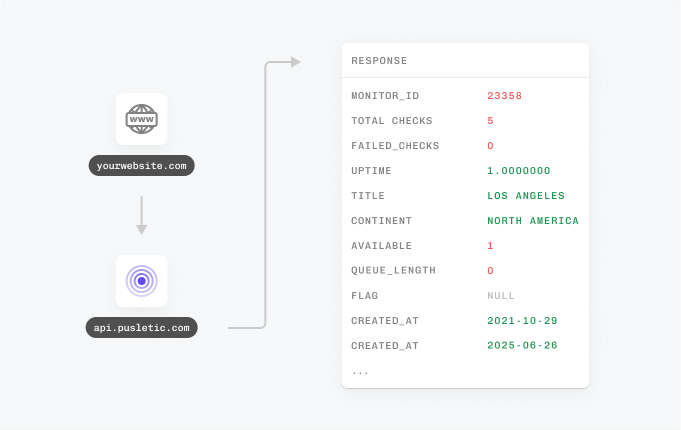
    With Pulsetic’s API, you’ve got complete control: you can add custom statistics, monitors & automations, create bespoke rules and maintain granular control over who can access or modify monitoring information. Best suited for developers in scale-up or large enterprises.

FAQ: Port Monitoring

  • What is port monitoring, and why is it important?

    It watches specific network ports on a server or device and checks whether they answer. That tells you the services behind them, HTTP, FTP, or SMTP, are still doing their job. The payoff: you catch connectivity problems before your users ever notice.

  • How does port monitoring work?

    At set intervals, the tool pings the ports you've chosen and records what comes back. If the service behind a port is up and reachable, the response confirms it.

  • What's the best way to monitor network ports for availability?

    Let an automated service do the watching. It checks your ports on a regular schedule and pings you the moment one stops responding, so you're not the last to find out.

  • What problems can unresponsive ports indicate?

    A port that won't answer usually points to something real: a crashed server, a misconfigured network, a firewall blocking traffic, or a failed service. None of these can wait.

  • How frequently does port monitoring check for availability?

    You set the interval. Critical systems can be checked every few seconds; for services that matter less, a check every few minutes is plenty.

  • Can port monitoring help prevent service outages?

    Often, yes. When a problem surfaces early and you get an alert right away, you can fix it while it's still small, long before it snowballs into a full outage.

  • What types of alerts does port monitoring provide?

    Alerts land in real time wherever you'll see them fastest: email, SMS, or a message in Slack or Discord. The point is that the news reaches you while it still matters.

  • How does port monitoring support multiple services on a single server?

    One server often runs several services at once. Port monitoring keeps an eye on all of them in parallel, so your web server, database, and email server stay up together.