• Need an IsDown underline
    alternative?

    Try Pulsetic. Incident emails for 4,400+ services you rely on, with uptime monitoring and status pages in the same account, and a free plan to start.

    Learn why...

    No credit
    card required.

  • Looking for an IsDown alternative?

Pulsetic vs IsDown: the breakdown

Credit where due: IsDown is built for exactly this job. It follows 6,320+ services, filters each one by component and severity, and flags outages from user reports before the vendor posts anything. Since June 2026 it has been part of UptimeRobot.

The catch is the way in. There is no free plan, team plans start at $49 a month for 30 monitors, and webhooks, SMS and PagerDuty wait for the $99 Premium plan. The $27 Starter plan for individuals alerts to Slack and email only. Uptime checks for your own website come out of the same monitor limit and run from 3 locations.

That’s why people searching for an IsDown alternative land on Pulsetic: incident emails for 4,400+ services, next to full uptime monitoring and status pages, with a free plan, paid plans from $9 and $0.20 for each extra dependency.

Let’s compare the two.

  • Start free, stay cheap

    Start free, stay cheap

    IsDown has no free plan and starts at $27 a month for 15 monitors. Pulsetic’s free plan includes a dependency monitor, and 15 dependencies cost $11.40 a month on the Solo plan.

  • Uptime monitoring that is not an extra

    Uptime monitoring, not an extra

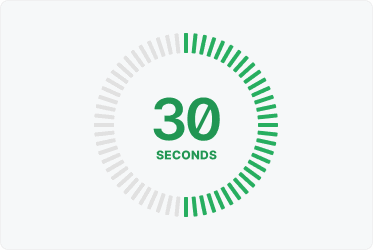
    IsDown checks your website from 3 locations, every 3 minutes on Pro and Premium. Pulsetic checks as often as every 30 seconds from up to 15 regions, and uptime monitors do not use up your dependency allowance.

  • Status pages from the free plan

    Status pages from the free plan

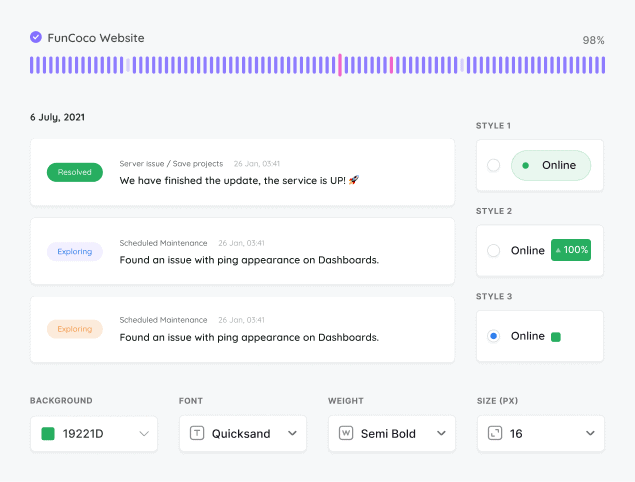
    Every Pulsetic plan, Free included, can show dependencies on a status page on your own domain. Removing Pulsetic branding starts at $19 a month, where IsDown asks $99.

  • “Pulsetic has simplified our uptime monitoring significantly. We’ve fully automated uptime tracking and SLA reporting, which removed a lot of manual work from our monthly and annual reports. The API is especially valuable for us, as it allows us to use a dedicated health-check endpoint and integrate uptime data directly into our internal workflows.”

  • Mariana Kodama

    Mariana Kodama

    Treasurer, Fundacion Jorge Luis Borges

Pricing: Pulsetic vs IsDown

  • Free plans

    IsDown has no free plan, only a 14-day trial. Pulsetic’s free plan includes 1 dependency monitor, 10 uptime monitors and 3 status pages on your own domain, with commercial use allowed.

  • Paid plans

    IsDown’s team plans cost $49, $99 and $179 a month for 30, 70 and 150 monitors, uptime checks included, and Starter for individuals is $27 for 15. Pulsetic’s alternative to IsDown is $9, $19 and $49 with 3, 10 and 30 dependency monitors, with uptime monitors counted separately.

  • Alert channels

    IsDown sends to Slack on every plan and adds Microsoft Teams, SMS, webhooks and PagerDuty on higher tiers. Pulsetic sends dependency alerts by email, while its uptime monitors use Slack, SMS and phone calls on paid plans.

Feature comparison

PulseticPulsetic

IsDown

Free plan / trial

Free plan (1 dependency monitor)

No free plan; 14-day trial

Entry price (USD/mo)

$9 (3 dependency monitors)

$27 (15 monitors, Starter for individuals)

Price for 25 dependencies (USD/mo)

$13.40 (Solo plus 22 at $0.20)

$49 (Pro)

Dependency Monitoring

Services you can monitor

4,400+

6,320+

Alerts filtered by severity

Alerts filtered by component or region

Pro and up

Maintenance alerts

Early warnings from user reports

Incident history

90 days

Up to 24 months by plan

Dependency Alerts

Email

Slack

Microsoft Teams, Google Chat, Discord

Pro and up

Webhooks

Premium and up

SMS

Premium and up

PagerDuty and Opsgenie

Premium and up

Monitoring Your Own Website

Uptime monitoring

Fastest check interval

30 sec

1 min (Business)

Check locations

Up to 15

3

Keyword monitoring

Status Pages

Dependencies on your status page

Custom domain

Every plan

Every plan

Email updates for subscribers

Solo and up

Every plan

Password-protected status page

Solo and up

Premium and up

Remove branding

Team ($19) and up

Premium ($99) and up

SSO-protected status page

Organization ($49)

Business ($179)

Account

Two-factor authentication

API and MCP server

Team and up

Business and up

Comparison based on publicly available information as of September 2026. Features and pricing change frequently, so please verify current details on each provider’s website.

Trusted by teams at companies around the world

And there’s more in Pulsetic’s free plan…

  • Know when it is them, not you

    Know when it’s them, not you

    One dependency monitor emails you when a provider you rely on opens, updates or resolves an incident, so you stop guessing during an outage.

  • See where your website is loading slowly

    See where your website is loading slowly

    We’ll check your website’s response times from different locations around the world, so you know if there’s an issue in a particular region.

  • Never let your SSL expire again

    Never let your SSL expire again

    We’ll let you know when it’s time to update your SSL certificate, so you can renew it before customers see error messages.

Frequently asked questions

  • What is IsDown best at?

    Focus. IsDown does one job: it follows 6,320+ services, lets you filter each one by component and severity, and flags outages from user reports before the vendor posts about them. Alerts go to Slack on every plan, with Microsoft Teams, SMS, webhooks and PagerDuty on higher tiers. Pulsetic covers fewer services and alerts by email, but has a free plan, costs less and adds full uptime monitoring and status pages.

  • How much does IsDown cost?

    The team plans are Pro at $49 a month for 30 monitors, Premium $99 for 70 and Business $179 for 150, or about 20% less billed annually. Starter, the plan for individuals, is $27 for 15 monitors with one admin user and alerts to Slack and email only. There is a 14-day trial and no free plan. Pulsetic includes 1 dependency monitor on Free, 3 on Solo ($9), 10 on Team ($19) and 30 on Organization ($49), and extra ones cost $0.20 each on any paid plan.

  • Does IsDown have a free plan?

    No. After the 14-day trial you pick a paid plan, and IsDown's monitor limit covers your own uptime checks as well as the services you follow. Pulsetic's free plan includes 1 dependency monitor, 10 uptime monitors and 3 status pages on your own domain, and commercial use is allowed.

  • How many services can each tool monitor?

    IsDown lists 6,320+ services. Pulsetic covers 4,400+, and the full list is public in the Pulsetic status directory at pulsetic.com/status, so you can check that every provider you rely on is there before you switch.

  • Can Pulsetic send dependency alerts to Slack?

    Not today. Pulsetic sends dependency alerts by email when a provider opens, updates or resolves an incident. For each dependency you can choose all incidents, including maintenance, or only major and critical ones, and send the alerts to any email address, such as a shared team inbox. The uptime monitors for your own website alert through Slack, Microsoft Teams, Discord, SMS and phone calls on paid plans.

  • Does Pulsetic detect outages before the provider reports them?

    No. Pulsetic alerts you when the provider opens, updates or resolves an incident on its status page. IsDown's early outage detection uses crowdsourced user reports to flag problems before the vendor posts, so if early detection matters most to you, IsDown is stronger here.

  • Who owns IsDown?

    UptimeRobot. IsDown was founded in 2020 and joined UptimeRobot on 1 June 2026. IsDown says it keeps its own brand, plans and prices.

  • Is Pulsetic a drop-in replacement for IsDown?

    Not for every team. Stay with IsDown if you need component filters, alerts routed to Slack, SMS or PagerDuty, early warnings from user reports, or services outside Pulsetic's 4,400+. Pulsetic suits teams that want an email when the providers they rely on have incidents, next to proper uptime monitoring and status pages, with a free plan to start.