What the Translate screen covers
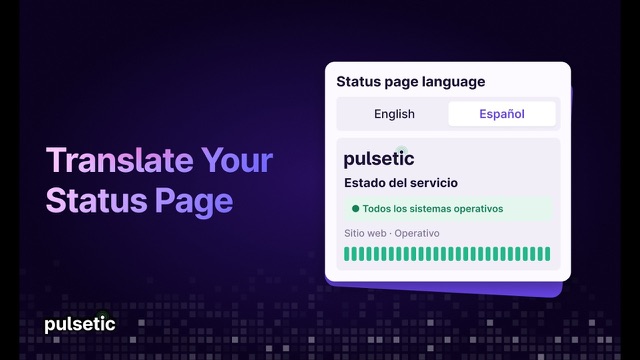
The Language list at the top fills in every field at once. Each field below it replaces one piece of the page’s built-in text, and you can change any of them. It is one of the settings every Pulsetic status page has, on every plan.
| Field | What it changes on the page |
|---|
| Language | The Translate all fields to list. Pick one of 50 languages and every field below fills in with ready-made wording, with Date and Time Language set to match. Reset to defaults, next to it, puts back the standard English text and English dates. |
|---|
| Get Updates button | The Get Updates button, and its text in the subscription section. |
|---|
| Manage Subscription button | The Manage Subscription button, and its text in the subscription section. |
|---|
| System Status | The overall status line: All Systems Operational, Partial Systems Outage and Major Systems Outage. |
|---|
| Uptime | The label for the uptime percentage. |
|---|
| Incidents | The text in the incidents section. |
|---|
| Maintenances | The text in the maintenances section. |
|---|
| Password | The label on the password field of a password-protected page. |
|---|
| Date and Time Language | The language of dates and times on the page, picked from a list. |
|---|
Four of these belong to features that only some plans include: the two subscription buttons go with subscriber notifications, the maintenances text with scheduled maintenance and the password label with password protection.
Ready-made wording in 50 languages
Any of these fills in the whole Translate screen, ready for you to adjust. Arabic, Hebrew and Persian text shows on the page, but the layout stays left to right.
- Albanian
- Arabic
- Azerbaijani
- Bengali
- Bulgarian
- Catalan
- Chinese (Simplified)
- Chinese (Traditional)
- Croatian
- Czech
- Danish
- Dutch
- English
- Estonian
- Filipino
- Finnish
- French
- Georgian
- German
- Greek
- Hebrew
- Hindi
- Hungarian
- Icelandic
- Indonesian
- Italian
- Japanese
- Kazakh
- Korean
- Latvian
- Lithuanian
- Macedonian
- Malay
- Norwegian
- Persian
- Polish
- Portuguese (Brazil)
- Portuguese (Portugal)
- Romanian
- Russian
- Serbian
- Slovak
- Slovenian
- Spanish
- Swahili
- Swedish
- Thai
- Turkish
- Ukrainian
- Vietnamese
 Character AI
 ChatGPT
 Claude
 Cloudflare
 Cursor
 DeepSeek
 GitHub
 GoDaddy
 Linear
 npm
npm OpenAI
 Perplexity
 Shopify
 Slack
Slack Stripe
 Supabase
 Vercel
 Zoom
Zoom